
The Enterprise Client Homepage is designed to provide a more actionable experience and streamline workflows by surfacing key program information and reporting features front and center. We continue to enhance the homepage with new functionality and usability improvements to further support an efficient and intuitive user experience.
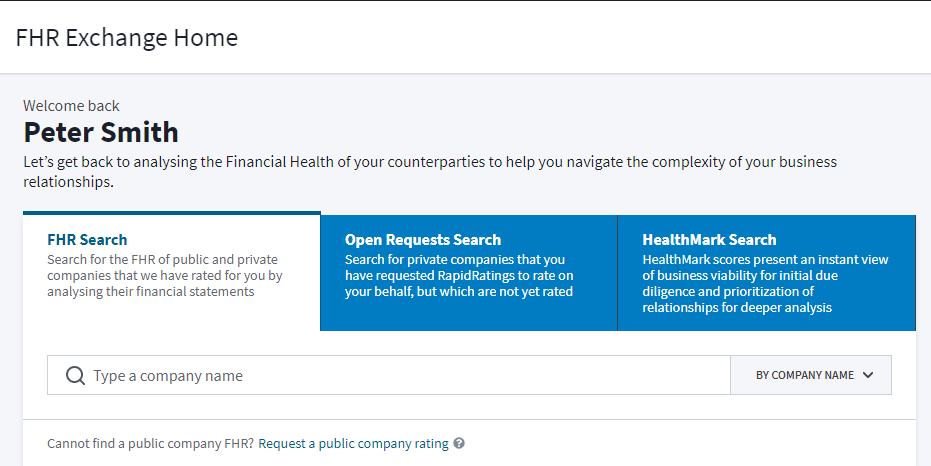
Search Key Reports and Requests
Search for FHRs, RiskPulse, and Network Outreach requests — all without navigating away from the homepage.
All you need to do is click the relevant tab and enter a company name.
Monitor Network Outreach Activity
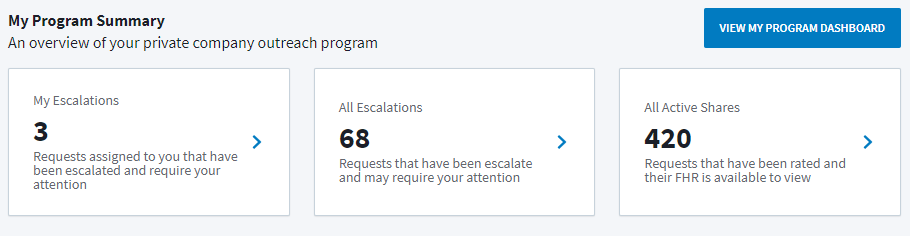
Quickly identify pending actions related to your Network Outreach program, and quickly access your private company ratings.
The My Escalations, All Escalations, and All Active Shares will bring you to the appropriate request views.
Select "View My Program Dashboard" to see the overall statuses of your Network Outreach requests and monitor activity.
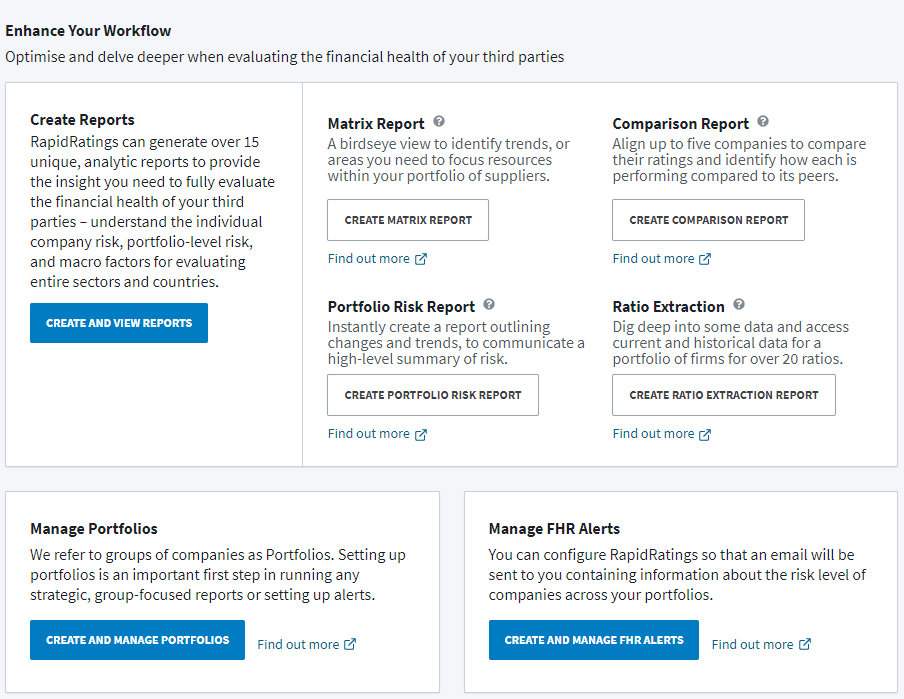
Access Critical Financial Health Tools
The homepage provides convenient access to features that support supplier financial health assessment, including:
Stay Connected with RapidRatings Resources
Access RapidRatings resources, product updates, and company announcements directly from the homepage. You can also browse Help Center content to find answers and guidance on platform features.
For additional assistance, use the Support widget located in the bottom-right corner of the platform to submit questions directly to the RapidRatings Support team.
